01
For roofers and contractors
Get roof measurements for quotes and job planning without a ladder, and share reports with customers and crews.

Measure roof area, pitch and dimensions from aerial maps. Trace every section, view a wireframe, and share professional roofing reports, all without climbing a roof.


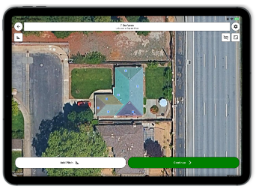
Roof measurement software
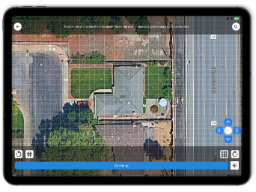
Roofs turns your phone or tablet into a roof measurement tool. Pick a property on a high-resolution aerial map, trace the roof, and get the numbers you need for quotes, repairs, replacements and planning.
Trace the outline and get the total roof area in square feet, square meters or roofing squares.
Get pitch and dimensions along with area, so your numbers reflect the real roof surface and not just the footprint.
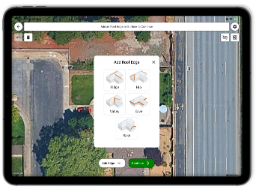
Trace each roof element with different colors to easily identify different edges and get their lengths.
Break complicated roofs into sections and measure each one. Use multiple layers to keep large projects organized.
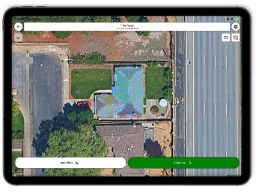
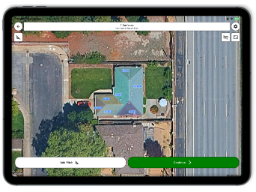
See your traced roof as a wireframe to check that every section and edge looks right before you rely on the numbers.
See your traced roof in 3D to check that every section and edge looks right before you rely on the numbers.
Switch between satellite, hybrid, terrain and standard map types to get the clearest view of the roof.
Export clean measurement reports to share with clients, your team, or your own records.
Export your traced roof as a GeoJSON file for use in GIS software or other mapping applications.
Simple roof measurement workflow
Measure a roof from the map, add the details you need, review the result, and create a report without getting on the roof.
Open Roofs and search or zoom to the roof on the aerial map.
Tap the corners of each roof section to outline it.
Mark ridges, hips, valleys, rakes and eaves.
Set or review the roof pitch so the area reflects the sloped surface.
Check the sections and edges before you finalize.
Share the area, pitch and dimensions as a clean report.
See it in action
See how Roofs makes it easy to trace roof sections, measure area and dimensions, check the roof wireframe, and create a report.
Roof area
Measured surface area
Roof pitch
Slope and dimensions
Roof elements
Ridge, hip, valley, rake & eave
Color-coded edges
Each roof element is easy to identify
Built for real roof measurement work
Get roof measurements for quotes and job planning without a ladder, and share reports with customers and crews.
Measure remotely, document each roof section, and keep your measurements organized across projects.
Find out how big your roof is before you buy shingles, ask for quotes or plan a repair. No account-heavy tools and no paid reports.
Check roof size and sections when planning installations or assessing a property.
Roof measurement guide
Roof area is not the same as the footprint of the house. A sloped roof has more surface area than the flat area beneath it, and the steeper the pitch, the bigger the difference. Roofs accounts for this when it calculates area.
To estimate roof surface area from the footprint, multiply by a pitch factor:
| Roof pitch | Multiplier |
|---|---|
| 3:12 | 1.03 |
| 4:12 | 1.05 |
| 6:12 | 1.12 |
| 8:12 | 1.20 |
| 9:12 | 1.25 |
| 12:12 | 1.41 |
One roofing square equals 100 square feet (about 9.3 square meters) of roof. Contractors quote shingles and metal roofing by the square, so Roofs lets you view area in squares as well as square feet and square meters.
Learn how roof type and pitch affect the total roof surface area.
Made for roof measurement
Roofs gives you the tools to measure roofs from aerial maps without adding unnecessary complexity, subscriptions or ads.
Many roof measurement services charge per report or require a subscription. Roofs is free.
No ads or pop-ups interrupting your work.
One focus: accurate aerial roof measurements, not a bundle of unrelated tools.
Detailed enough for contractors, simple enough for first-time users.
Square feet, square meters, squares, acres, hectares and more.
Measure from your phone or tablet.
Measurement accuracy
Roofs measures from high-resolution aerial imagery, so results depend on image quality, how carefully you trace the roof, and the pitch you apply. Aerial measurements are excellent for estimates, planning and quoting.
When exact construction dimensions are required, verify them on-site before ordering materials.
Results depend on the resolution and clarity of the available aerial imagery.
Carefully placing points around each roof section helps produce more reliable measurements.
Applying the correct pitch helps account for the sloped surface rather than measuring only the roof footprint.
Get answers to common questions about measuring roofs with aerial maps, calculating roof area, checking pitch, and sharing reports.
Download Roofs free and get roof area, pitch and dimensions from an aerial map in minutes.