
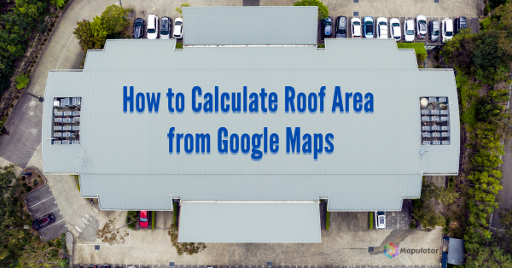
Use Mapulator App, an accurate roof measurement tool, to calculate roof area of your roof
Before you begin work on any roofing project, it is vital to have an accurate measurement tool to calculate roof area. Calculating roof area is a crucial step in any construction project as it helps estimate material quantities and costs accurately.
By determining the roof area, you can ensure efficient planning and avoid unnecessary expenses. In this article, we will explore the process of calculating roof area and its importance in construction.
6 Common Types of Roofs
Roof is an essential part of any building. Roofs come in various types, each with unique characteristics.
Gable Roof
A gable roof has two sloping sides meeting at a ridge, forming a triangular shape. It is easy to measure due to its simple structure.
Hip Roof
A hip roof slopes on all sides. It is more complex and requires additional calculations.
Flat Roof
A flat roof has minimal slope. Area calculation is simple: measure length and width.
Mansard Roof
This roof has two slopes on all sides, with a steeper lower slope. Each section must be measured separately.
Gambrel Roof
Common in barns, it has two slopes on each side. Measure upper and lower slopes separately.
Shed Roof
A single-sloping roof, usually for small structures. Calculation is similar to flat roofs.
Measuring Roof Dimensions
Accurate measurements are essential.
- Measure length (eaves to ridge)
- Measure width (gable to gable)
- Include overhangs and slopes
These factors directly affect the total roof area.
How to Calculate Roof Area
Gable Roof Formula
Area = (length × width) + 0.5 × (length × overhang)
Hip Roof Formula
Area = (length × width) + 0.5 × (length × overhang) + 0.5 × (width × overhang)
Flat Roof Formula
Area = length × width
Using correct formulas ensures accurate calculations and better cost estimation.
Easy Way to Calculate Roof Area
Let’s see a simple method using Mapulator.
Method: Tap on the map and draw points
Step 1: Open the Mapulator app and create a new project.
Step 2: Go to settings (gear icon) and select map type, units and colors.
Step 3: Use the selector tool to mark your roof area.
Step 4: Use the layers option.
Step 5: Mapulator connects points and calculates area automatically.
For more methods, explore additional ways to measure area using Mapulator.
Dealing with Complex Roofs
For irregular or multi-section roofs:
- Break the roof into smaller sections
- Calculate each section separately
- Add all areas together
This ensures better accuracy.
Roof Measurement Tools and Resources
Several tools can help calculate roof area:
- Online calculators
- Mobile apps like Mapulator
- Mapping tools using satellite view
Mapulator allows you to measure roofs directly on maps, making it convenient and efficient.
Mapulator helps measure your roof online and provides quick on-screen reports for reference. It also helps estimate roof size, height, pitch and required materials.
For highest accuracy, consulting professional roofers is recommended.
Conclusion
Accurately calculating roof area is essential for planning and cost control in construction projects. With proper measurement techniques and formulas, you can achieve precise results. Tools like Mapulator simplify the process and improve efficiency. However, for critical projects, professional guidance is always advisable. With the right tools and accurate measurements, you can confidently move forward with your roofing project.